
Locals.com
LOCALSSocial
4.63.04K Reviews
- Version
- 2.1.32
- Installs
- 500.00K
- Age Rating
- Teen
Screenshots
Our Review of Locals.com
 Analysis by Appyee
I spent time with Locals.com as a social app built around following creators and taking part in their communities, and my first impression was that its value depends heavily on the quality of the connection around each creator. The app is developed by LOCALS, is free to download, and is rated for Teen users. It is not trying to be a general-purpose replacement for every social network; its appeal is more focused. You come here when you want a closer relationship with particular creators and when you are willing to spend time inside their individual spaces.
That focus makes the experience more intentional than endlessly scrolling through a mixed public feed. It also creates a clear condition for enjoying the app: you need a reliable internet connection whenever you want to browse, watch, read, or participate. Locals.com is therefore best understood as a network-dependent creator community app, not as something I would open expecting a fully self-contained offline experience.
How Locals.com feels when the network is doing its job
When my connection was stable, the app felt most useful as a place to keep up with creators I already cared about. Instead of treating every post as an isolated item in a huge stream, I found the experience easier to understand when I approached it through specific communities. That changes the way I use social media: I am not simply waiting for an algorithm to surprise me, but checking in with people and topics I have deliberately chosen.
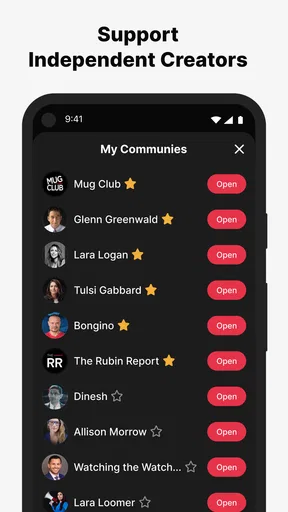
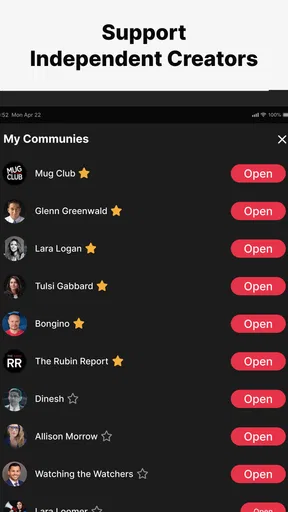
The store summary describes Locals as a service intended to help creators remain independent, and that purpose is visible in the way the app centers creator-led spaces. For a viewer, the practical benefit is a more direct route to a creator’s material. For a creator, the attraction is having an audience gathered around a dedicated identity rather than being one voice among countless unrelated accounts.
I would not install this expecting the same broad social graph as a mainstream network. The usual alternatives are better if your priority is discovering a little of everything, chatting with friends who may not follow the same creators, or sharing casual updates with a wide personal circle. Locals.com makes more sense when your social activity is organized around communities and recurring creator updates.
Connection quality affects more than whether the app opens. A weak signal can interrupt the rhythm of browsing, make media take longer to appear, or turn a quick check-in into a stop-and-start session. That matters because creator communities often encourage regular attention. If I am trying to catch up during a short break, a delayed page or interrupted media experience can make the app feel less convenient than a lightweight text-first service.
My practical advice is to give the app a proper first test on the connection you normally use. Try it at home, on mobile data, and in the places where you expect to check it most often. A social app can feel excellent on a strong home network and frustrating during a commute, so your own routine is more important than a single smooth setup session.
Why creator-centered use feels different from ordinary social feeds
The strongest part of Locals.com is the sense of purpose. If I follow a creator because I value their perspective, the app gives me a place to focus on that relationship instead of competing with unrelated entertainment, local updates, and random recommendations. This can make the time I spend there feel more deliberate.
There is also a trade-off. A focused community is only as interesting as the creators and members within it. If the people you want to follow are not active there, the app may feel quiet compared with a larger platform where they post frequently. I would check the availability and activity of the communities that matter to me before making Locals my primary social destination.
Another useful way to approach it is as a supplement rather than an immediate replacement. I can keep using a general social network for friends and broad discovery while using Locals for creator-specific participation. That division reduces disappointment: each service has a clearer job, and I am not asking one app to provide both a personal address book and a specialized community hub.
Using it in real mobile situations
On a phone, Locals.com fits naturally into short sessions, but those sessions are most successful when I know what I am checking. A quick visit to a favorite creator’s space is easier to manage than opening the app without a plan and expecting it to fill every spare minute. I found that the app makes more sense when I treat it like a place to revisit, not merely another source of automatic scrolling.
Imagine checking the app during a lunch break. On a strong connection, I can catch up with a creator community, read recent posts, and decide whether I want to stay longer. If the signal drops while media is loading, the same break can become a series of retries. In that situation, a text-oriented messaging service or a platform with content already cached may be more comfortable, depending on what I need at that moment.
That example points to an important limitation: your mobile context shapes the experience as much as the app itself. A reliable home Wi-Fi connection supports longer visits. A busy station, crowded event, or weak indoor signal may make the app less predictable. I would not plan an important live interaction around an uncertain connection without allowing extra time for interruptions.
Battery and data habits also matter in ordinary use. I avoid leaving any social app open while doing other things, and I prefer to decide in advance whether I am browsing briefly or settling in for a longer session. That simple habit prevents Locals.com from becoming an unplanned drain on attention and mobile data. It is especially useful for people whose phone plans are limited or who regularly travel through areas with inconsistent coverage.
The app is available for devices running Android 7.0 or later, which gives it a broad compatibility range for Android users. The current version is 2.1.32. In practical terms, I would still keep the app updated when possible, because connection handling and media delivery are the parts of a social app I notice most when something feels unreliable. An older phone may also make network-heavy browsing feel slower even when the signal itself is fine.
Who will get the most from it
I think Locals.com is a good fit for someone who follows a small group of creators closely and wants a more concentrated place to engage with them. It is also suitable for users who enjoy community-based discussion more than a constantly changing public timeline. The app can be particularly appealing when the creator relationship is the reason you are opening the service in the first place.
It is less suitable for someone who mainly wants to message existing friends, discover local events, or browse a huge variety of unrelated content. Those tasks are usually handled more naturally by established messaging apps, broad social networks, or dedicated community services. I would also hesitate to recommend it to a user who has very limited data and frequently relies on unstable mobile coverage, unless their expected use is brief and carefully timed.
Teen users should approach any creator-centered social space with the same judgment they would use elsewhere online. The age rating is Teen, but that does not remove the need to choose communities carefully, manage attention, and think before sharing personal information. Parents or guardians deciding whether it is appropriate should consider the specific creators and communities a young person intends to follow, rather than treating the age label as a complete guide.
What happens when connectivity fails
The most revealing moments came when the connection was interrupted. A social app can tolerate a short delay while loading a simple text update, but rich creator content is more sensitive to network changes. When something does not load, I first check whether other apps are also struggling. If they are, switching between Wi-Fi and mobile data, moving to a stronger signal, or waiting until the connection settles is more useful than repeatedly tapping the same screen.
I also recommend avoiding repeated refreshes on a weak connection. They do not necessarily solve the underlying problem and can turn a small delay into unnecessary data use. Closing the app, restoring a stable connection, and reopening it is a cleaner recovery routine when the interface appears stuck. This is not a special feature; it is simply the most sensible way I found to handle a network-dependent service.
For important community activity, I would build in a little flexibility. If I need to read something before leaving home, I do it while the connection is dependable rather than waiting until I am already moving between coverage areas. If I am participating in a discussion, I avoid assuming that a message or media item has gone through just because I tapped once. Checking the visible result prevents duplicate attempts and confusion.
This is where Locals.com differs from an offline-first notes app or a downloaded media library. Its core value comes from current, connected participation, so a lost signal naturally limits what I can do. That is not a flaw unique to this app, but it is an important buying decision. Anyone looking for a service that remains fully useful on a plane, in a tunnel, or in a remote area should choose a product designed specifically for offline access instead.
Keeping mobile data under control
Because the app is free to download but offers in-app purchases ranging from $1.99 to $119.99 per item, I would separate two decisions: whether the service is worth using and whether any paid support or community option is worth the cost to me. I would not spend simply because a creator community is interesting for a few minutes. I would first use the free access to understand how often I return and what kind of participation I actually value.
The same measured approach works for data. I use Wi-Fi for longer browsing whenever possible and reserve mobile sessions for checking specific communities. If I know I am in an area with unreliable coverage, I avoid starting a long media-heavy session that may repeatedly reconnect. This makes the app more predictable and helps me judge its real usefulness instead of confusing network problems with a lack of content.
A less obvious trade-off is that a creator-focused app can encourage more intentional visits but also more frequent check-ins. When I care about a community, I may open it several times a day without noticing. Setting a personal routine, such as checking at selected times, keeps the service from turning every network connection into an invitation to browse. That is one of the best ways to protect both data and attention.
I would also be careful with public Wi-Fi. A crowded network can make loading appear broken even when the app is functioning normally, and public connections may not be suitable for every kind of account activity. When a session involves anything sensitive, I prefer a connection I trust. The app itself cannot make an unstable or unsuitable network behave like a private, reliable one.
My connectivity verdict
After using Locals.com with connectivity in mind, I see it as a focused social app for creator communities rather than a universal social replacement. Its best moments happen when I have a dependable connection, a clear reason to visit, and creators whose communities are active enough to justify returning. The experience feels more purposeful than a random feed when those conditions line up.
The service has a strong case for people who want to follow creators in a more concentrated setting. The developer, LOCALS, has positioned the product around creator independence, and that gives the app a distinct identity. Its average rating is 4.6 from around 13 thousand ratings, with over 500 thousand installs, suggesting that the concept has found a meaningful audience without making it the right choice for every social-media habit.
My recommendation is straightforward: try it if your social life already revolves around particular creators and you usually have stable Wi-Fi or mobile data. Start with the communities that matter most to you, observe how often you genuinely return, and keep paid options separate from the initial trial. That workflow gives you a clearer answer than judging the app from its download screen.
I would skip it if you need dependable offline access, a broad friend-messaging tool, or a single place for every kind of social discovery. In those cases, a messaging app, a general social network, or an offline-capable service will probably fit better. For everyone else, Locals.com is worth considering as a connected meeting place for creator-led communities, provided you are comfortable with the fact that its usefulness rises and falls with the network beneath it.
Verdict
Strengths of Locals.com
- Connects users with local communities and like-minded people.
- Offers a wide range of discussions across news, culture, and politics.
- Supports direct interaction through comments and community participation.
- Provides an alternative to mainstream social media platforms.
- Available on mobile devices for convenient access on the go.
Limitations of Locals.com
- Some communities may have limited activity or infrequent updates.
- Political discussions can become heated or highly polarized.
- Content quality and accuracy vary between individual contributors.
- The interface may feel crowded for users new to the platform.
- Some features or content may require account registration.
Similar Picks in This Category
View All
Meta Platforms, Inc.4.6

Instagram4.0

Likee-Live, Chat & Party Games
Likeme Pte. Ltd.4.4

Facebook Lite
Meta Platforms, Inc.4.5

TikTok - Videos, Shop & LIVE
TikTok Pte. Ltd.4.0

Moj: Free Short Drama & Reels
ShareChat4.1
Frequently Asked Questions
What is Locals.com, and what can I do with the app?
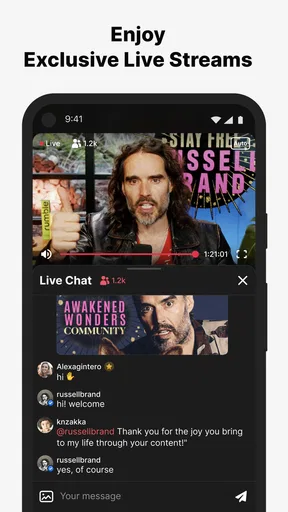
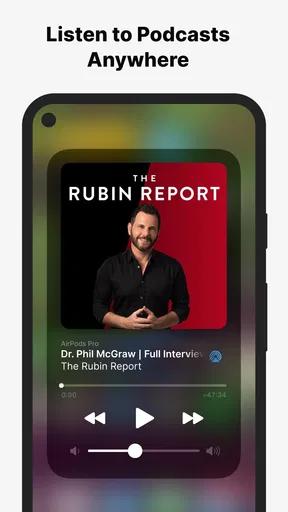
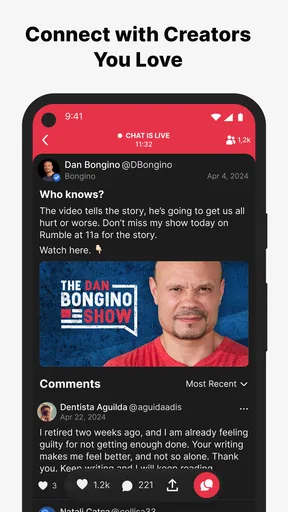
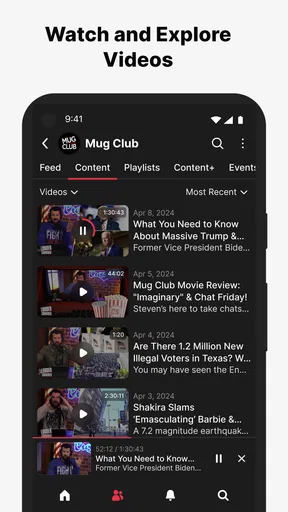
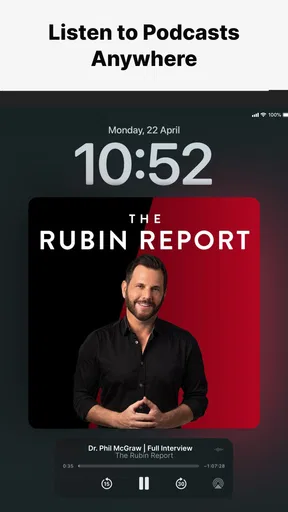
Locals.com is a subscription-based platform where creators, commentators, and communities can publish content and interact with their audiences. Depending on the community you join, you may find posts, videos, livestreams, podcasts, chats, comments, and exclusive updates. The app is designed to bring creator content and community discussions together, although the exact features available can vary from one creator or channel to another.
Is Locals.com free to use, or do I need a subscription?
Downloading the Locals.com app is generally free, but access to content depends on each creator’s setup. Some communities offer free posts or public discussions, while others require a paid membership for exclusive videos, livestreams, articles, or chat access. Subscription prices, benefits, and billing terms are determined by individual creators, so you should review the membership details carefully before confirming a purchase.
How do payments and subscriptions work on Locals.com?
Locals.com may process memberships through the platform or through the relevant app-store billing system, depending on how you subscribe. Before joining, check the displayed price, billing frequency, renewal conditions, and included benefits. Subscriptions commonly renew automatically unless canceled in advance. To avoid unexpected charges, manage cancellation and payment settings through the same account or store used to start the membership.
Can I watch livestreams and access exclusive creator content on Locals.com?
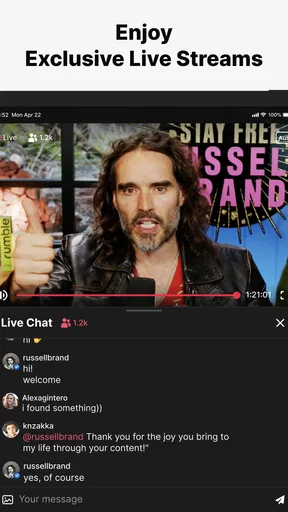
Yes, Locals.com can provide livestreams and members-only content, but availability depends on the creator and the community you follow. Some creators publish recorded videos, live broadcasts, podcasts, written posts, or private discussions, while others use only selected features. A paid membership does not necessarily unlock every creator on the platform, so verify what is included with a specific community before subscribing.
Is Locals.com moderated, and what should I know about privacy and account safety?
Locals.com provides community and content-management tools, but the tone, rules, and moderation style can differ between communities. Read each channel’s guidelines and report content that violates platform rules. Use a strong, unique password and avoid sharing sensitive personal information in public discussions. Also review the app’s current privacy policy and permissions, particularly if you plan to use messaging, livestream, or account-related features.
